
What you need
- An AI image tool that can edit a photo you upload, such as ChatGPT. Image features and limits depend on the tool and your plan.
- A photo of your own pet, or one you have the owner's OK to edit.
- A few minutes, and a treat for the model.
Step 1: Pick a bright, sharp color photo
AI tools keep your pet's look by copying what they can see. Give them as much as possible.
- Good light matters most. In our testing, a near-black-and-white photo got markings the pet didn't have. Daylight or a well-lit room works best.
- Face toward the camera. Eyes, nose and the markings around them are what make your pet recognizable.
- One pet per photo is the easiest. Two pets can work, but check that each one keeps its own markings.
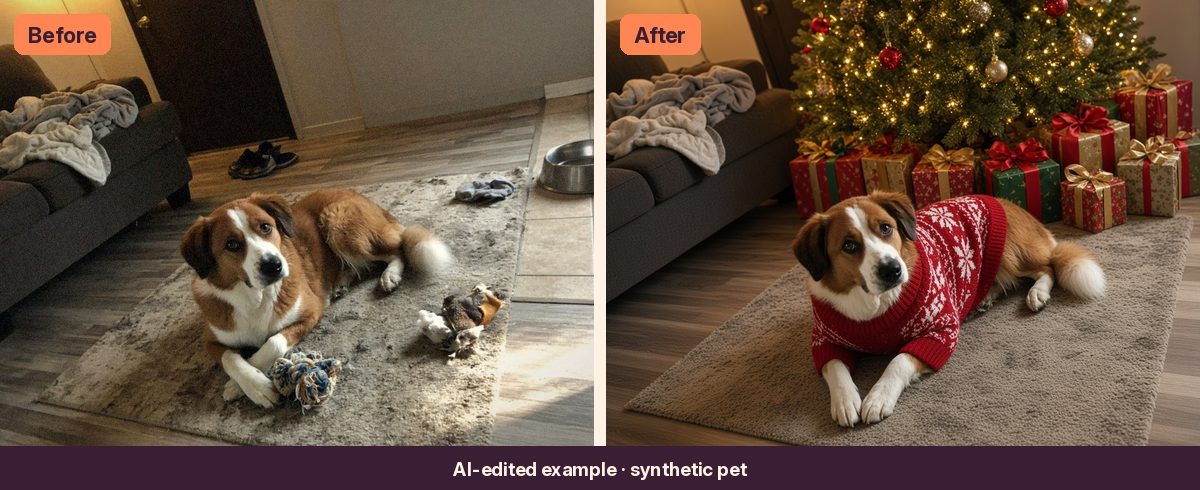
- Don't worry about the mess. Toys, laundry and the water bowl can all be swapped for a holiday scene.
Step 2: Paste a prompt that protects markings
Name exactly what must stay the same: face, markings, colors and body shape. Then add one holiday change at a time. Here's a free starter prompt:
Free starter prompt
Edit the uploaded photo of my pet. Keep my pet's face, eye color, markings, fur colors, ears and body shape exactly as they are. Add a small red Santa hat. Replace the background with a cozy room with a softly glowing Christmas tree and warm string lights. Keep the same pose. Output a believable photograph.
This is a short, general prompt, not one of our tested prompts, so expect to retry more often.
Step 3: Compare with the original
- Check the markings. Put the before and after side by side and look at the face, chest and paws. A missing spot or a new stripe is easy to miss on a phone screen.
- Expect a little extra cute. In our tests, pets often came back with slightly bigger eyes or a happier expression. If yours looks like a different animal, retry from the original photo.
- Watch for extra paws or ears around hats, scarves and antlers.
Three pet looks that work well
Holiday sweater by the tree
Your pet in a red knit sweater, antlers or a tiny scarf, by a lit tree with gifts. See the example at the top of this guide.
Gingerbread cookie pet
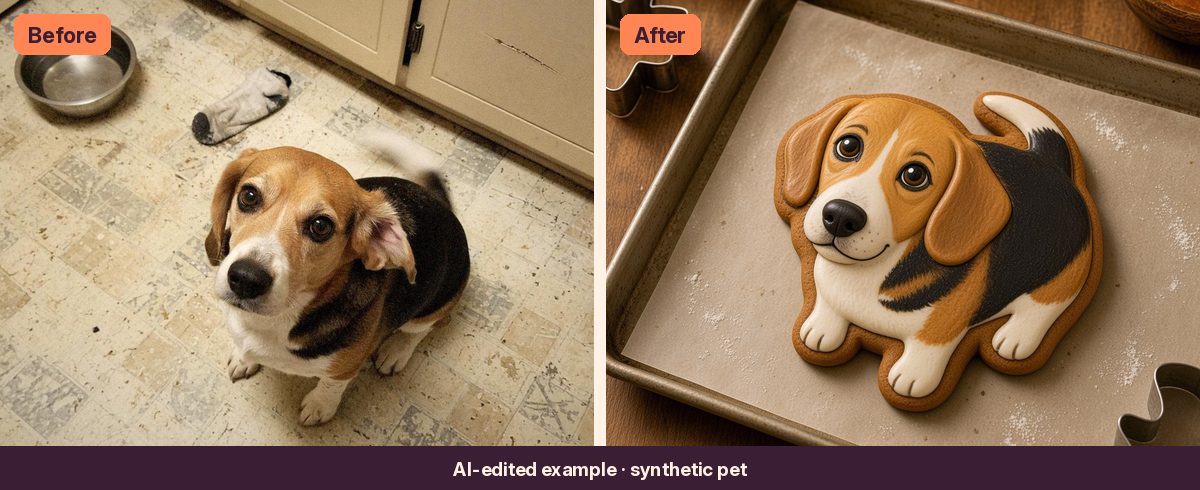
Your pet as a decorated gingerbread cookie, with its fur colors and markings in icing. It's a likeness, not a photo, so small details like a flipped ear may not survive.
Felted tree ornament
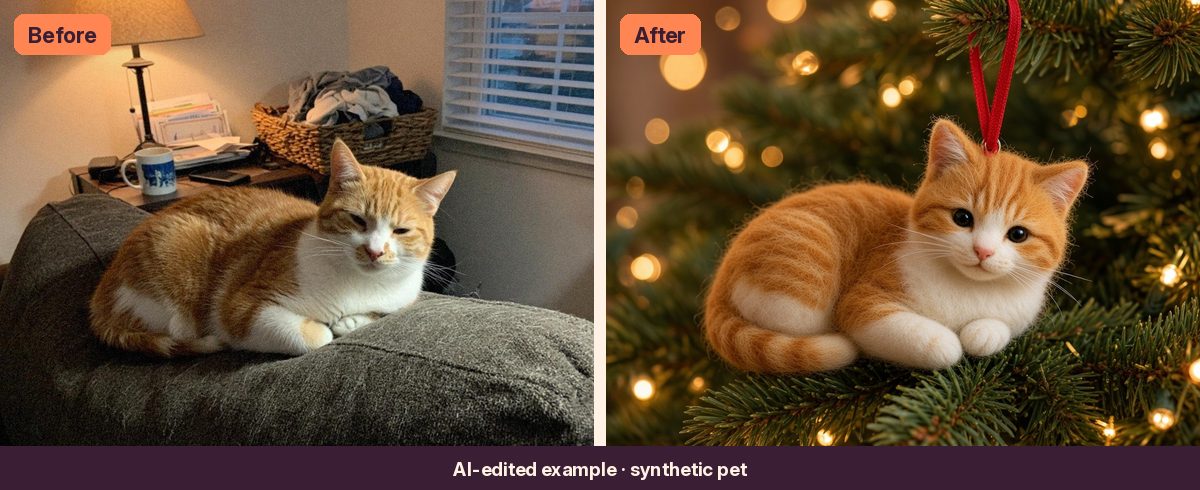
Your pet as a fuzzy needle-felted ornament hanging on the tree. This one is in the Holiday Card Kit.
The shortcut: tested pet prompts
The free prompt above will get you going. If you'd rather skip the trial and error, the Pet Holiday Portrait prompt is tested with three outfits (a red knit sweater, an antler headband and a tiny scarf), with tips from our test runs.
For the cookie version, Gingerbread Cookie You works for pets and people.
The Holiday Card Kit includes the Pet Holiday Portrait and the felted ornament, plus family card looks.
Quick answers
Can ChatGPT turn my dog or cat into a Christmas portrait?
Yes. Upload a clear photo, say what must stay the same (face, markings, colors) and describe one holiday change. Always compare with your original, because AI tools can change small details.
Why did the AI change my pet's markings?
Usually because the photo was dim, blurry or nearly black and white, so the tool guessed. Use a bright color photo where your pet's face is sharp, and retry from the original.
Can I print it as a card?
Yes, for your own cards. Ask for the same aspect ratio as your original photo and add your greeting in a card or design app afterward, since AI tools often misspell text.